1. Get administrator approval
In Settings → Integrations, select Connect on SharePoint. Give your Microsoft administrator the connector application ID shown in the dialog and the URL of the site you want to connect.
They must approve the connector and grant it read access to that site. This is a one-time setup for each site.
Microsoft administrator instructions
In Microsoft Entra, open Enterprise apps, find the connector by its application ID, and grant admin consent to Microsoft Graph Sites.Selected (Application).
If the app is not listed, use the administrator consent link, replacing both placeholders:
https://login.microsoftonline.com/<tenant-id>/adminconsent?client_id=<connector-app-id>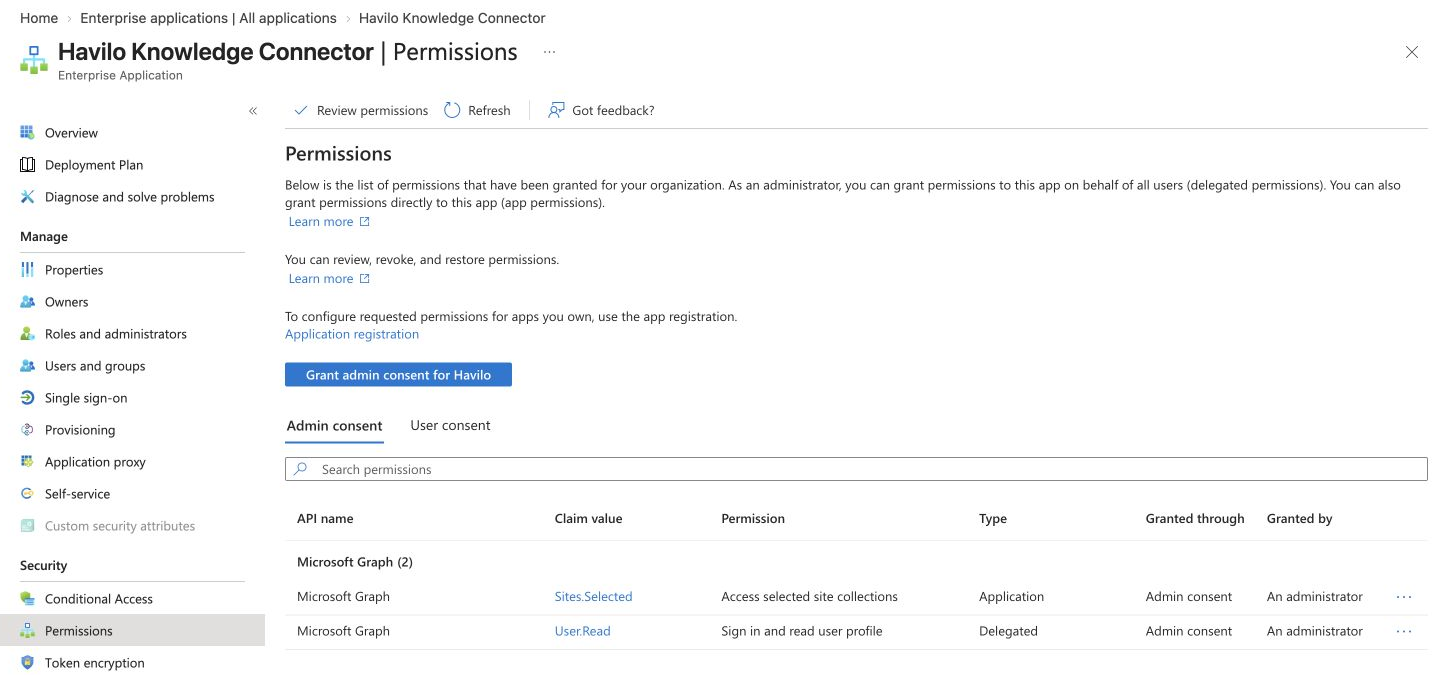
Next, grant the connector read access to the site. Consent alone does not provide site access. Choose the tool your IT team uses:
- Microsoft 365 CLI: use the command below in an authenticated administrator session.
- PnP PowerShell: use
Grant-PnPEntraIDAppSitePermissionwith-Permissions Read. - Microsoft Graph: create a site permission for the connector application with
roles: ["read"].
m365 spo site apppermission add \
  --siteUrl "https://company.sharepoint.com/sites/team" \
  --appId "<connector-app-id>" \
  --appDisplayName "Havilo Knowledge Connector" \
  --permission read
Replace the site URL and application ID with your values. Use this command's flags if the Havilo dialog shows different ones.
2. Choose your libraries
- Enter your Microsoft tenant ID (from Entra → Overview) and site URL, such as
https://company.sharepoint.com/sites/team. - Select Verify access.
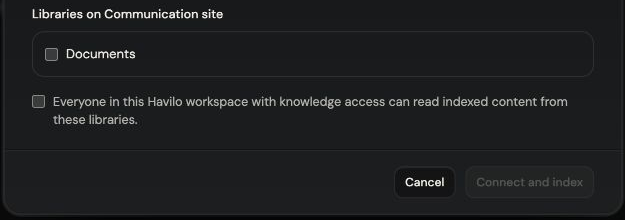
- Select the libraries, accept the workspace audience statement, and select Connect and index.
Everyone in your Havilo workspace with knowledge access can read these libraries. SharePoint's individual file permissions do not carry over.
The integration card shows how many files have been indexed. Changes sync automatically; select Sync now to request an update.

3. Ask about your documents
Ask the Agent a question about the work, for example:
What still needs approval before our next launch?
If access verification fails, ask your administrator to check both tenant consent and the site's read grant.